For Articulate Rise 360

Interactive blocks for Rise, with no code and no developer.

Preview, customize, and download ready-made interactions in your browser. Paste one snippet into Rise and publish. Need something new? Generate it with AI or request it from us.
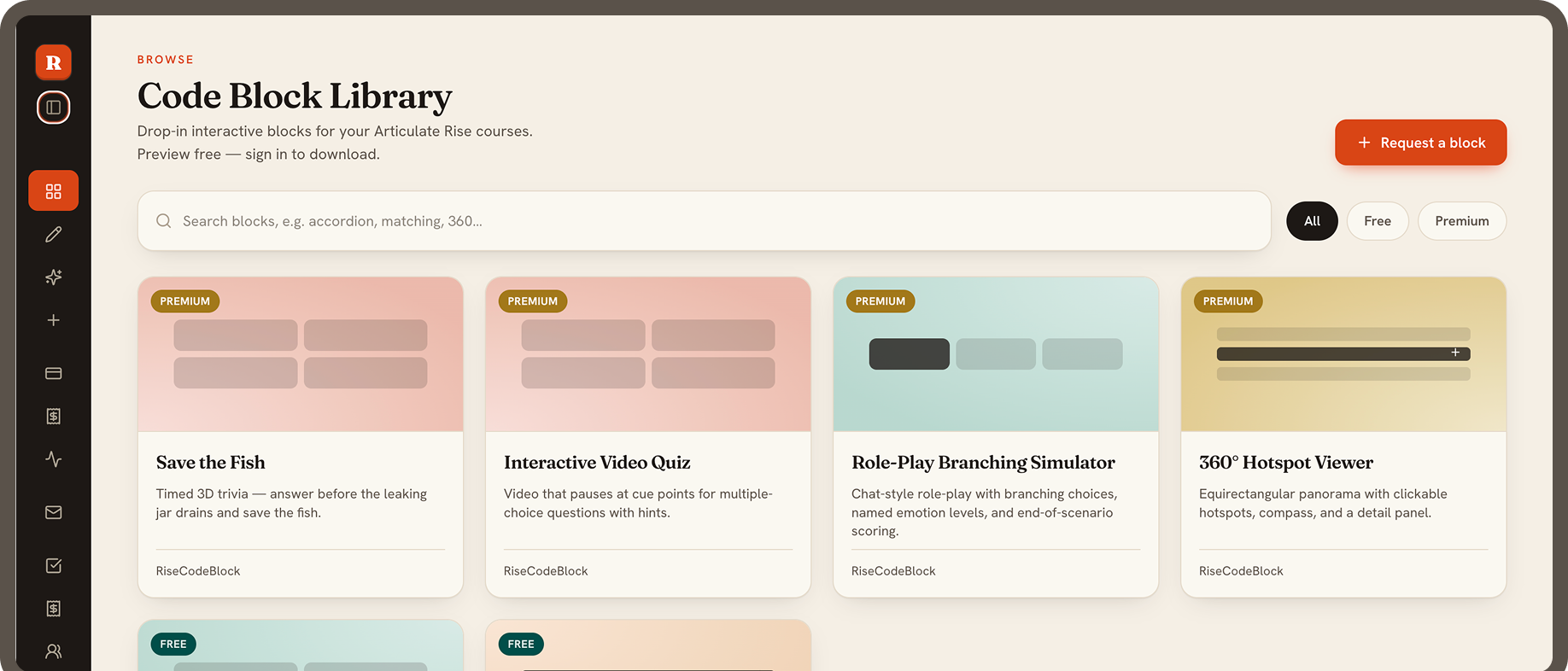
Code Block Library preview

Why designers choose RiseCodeBlock

Free and premium blocks
Preview before you sign in
Download as HTML or ZIP
Build your own with AI
Mobile and keyboard accessible

Ready-to-use blocks, free and premium

Preview every block in full before you download. Free blocks need only an account.

PREMIUM

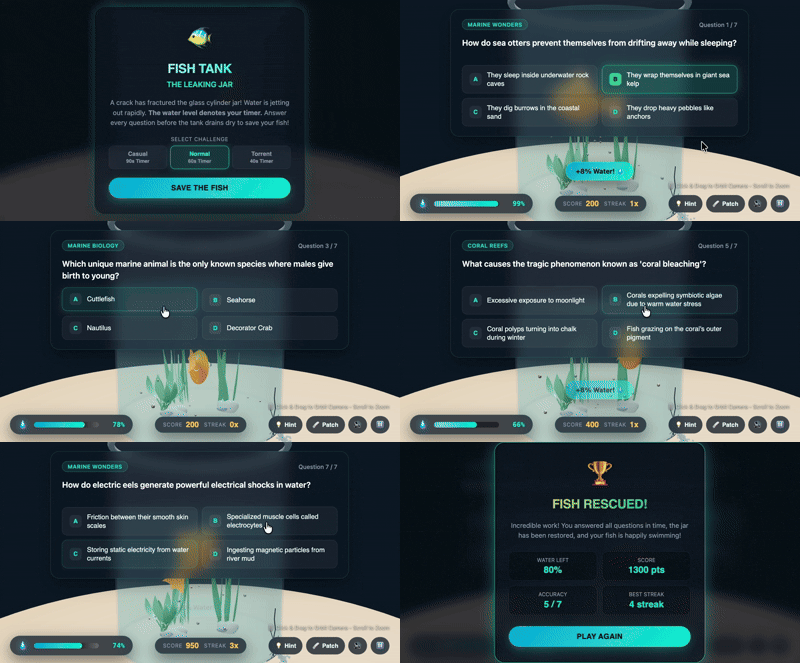
Save the Fish

Timed 3D trivia — answer before the leaking jar drains and save the fish.
PREMIUM

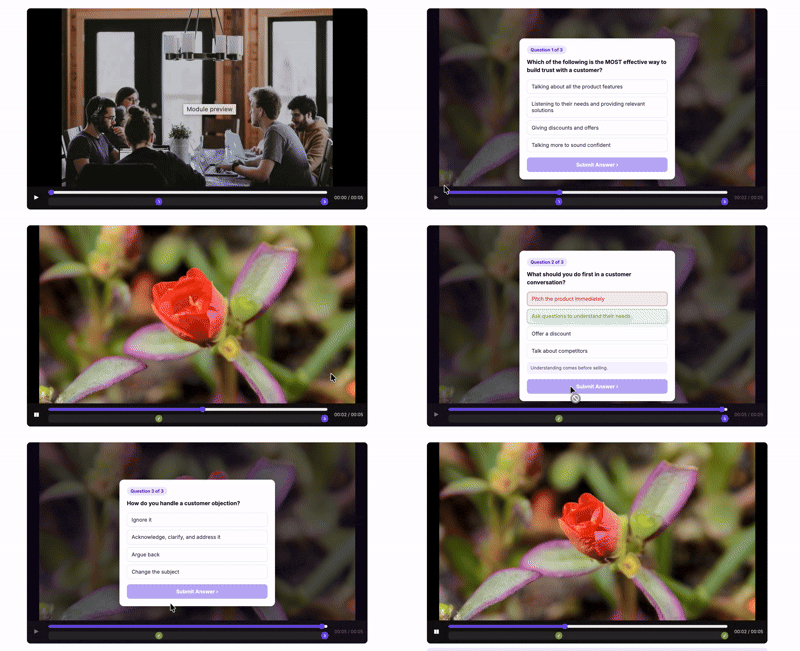
Interactive Video Quiz

Video that pauses at cue points for multiple-choice questions with hints.
PREMIUM

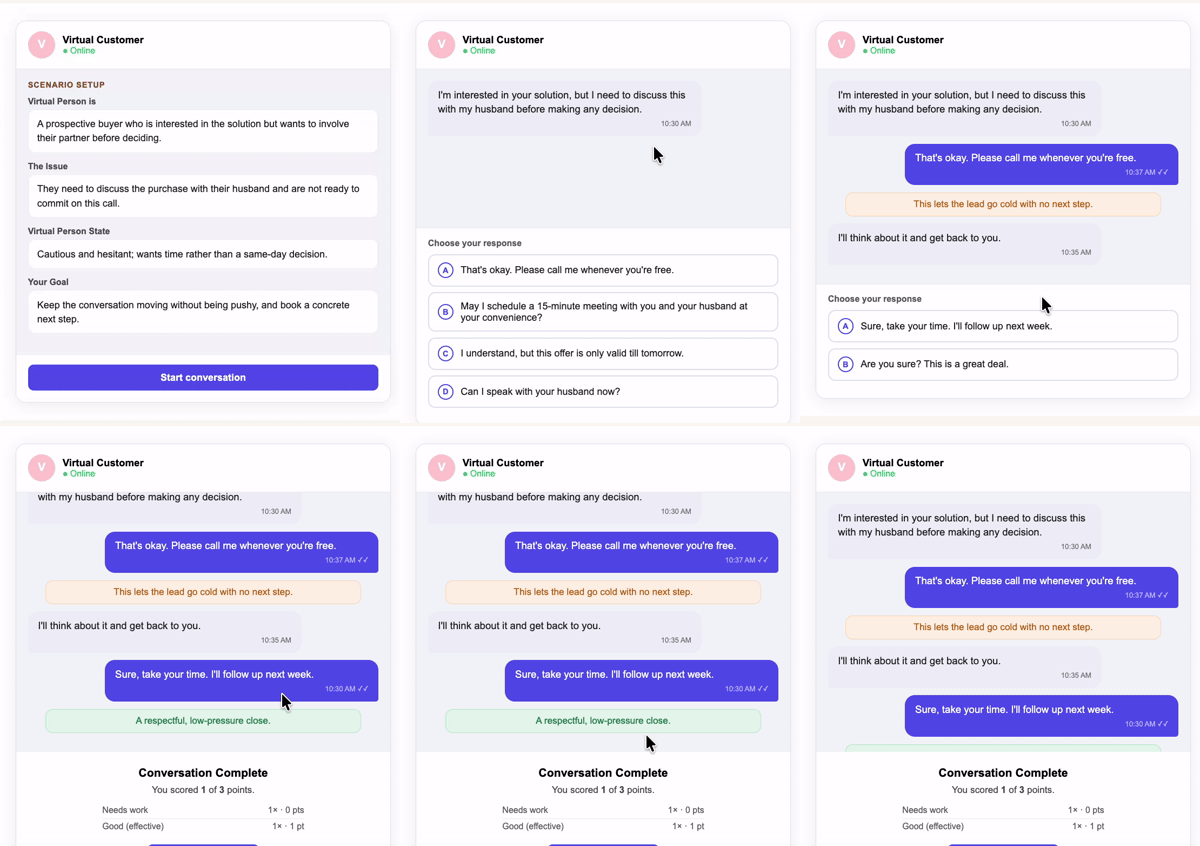
Role-Play Branching Simulator

Chat-style role-play with branching choices, named emotion levels, and end-of-scenario scoring.
PREMIUM

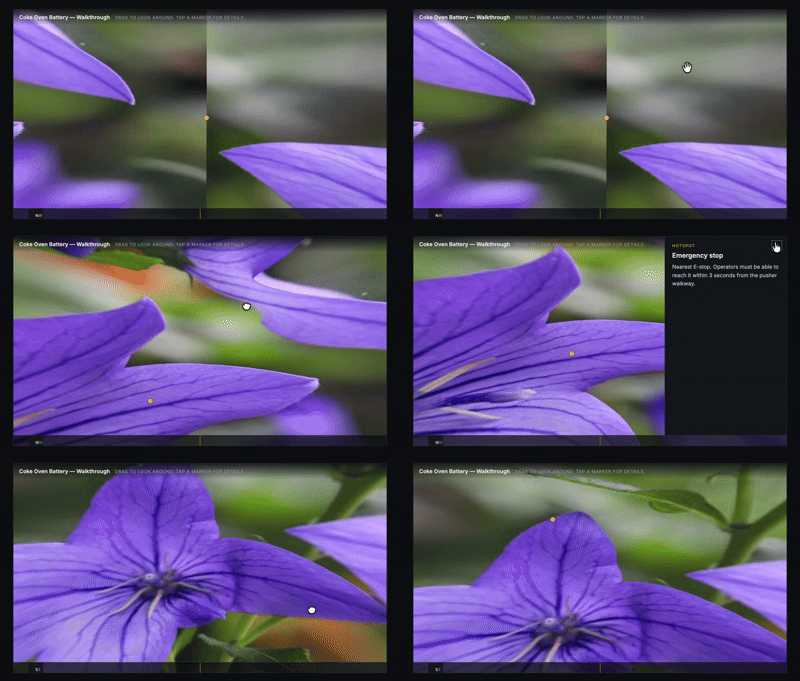
360° Hotspot Viewer

Equirectangular panorama with clickable hotspots, compass, and a detail panel.
FREE

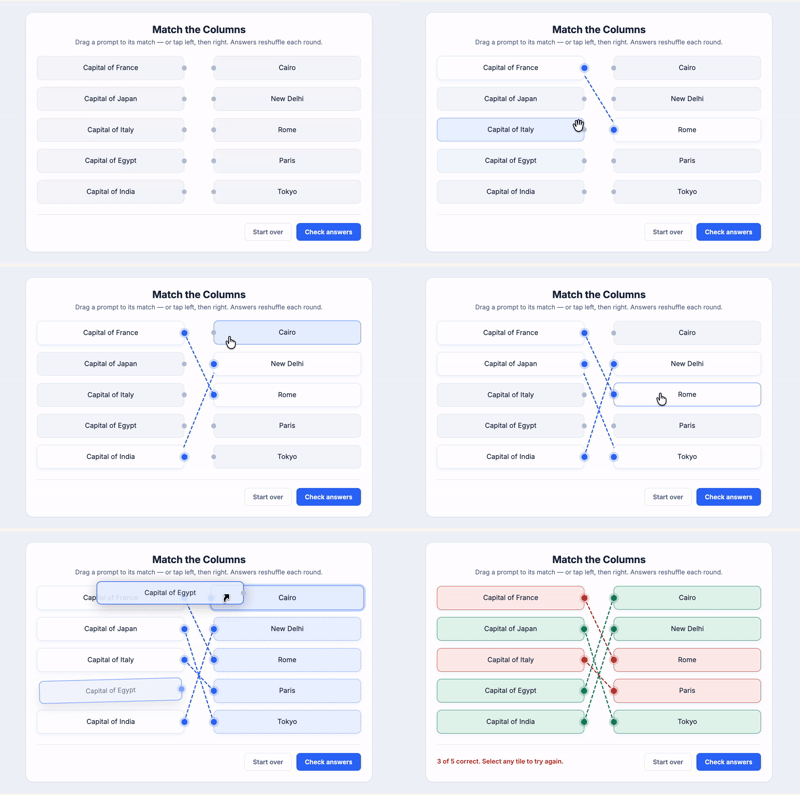
Match the Columns

Drag-to-match columns with shuffled answers, wire links, and game-like scoring feedback.
FREE

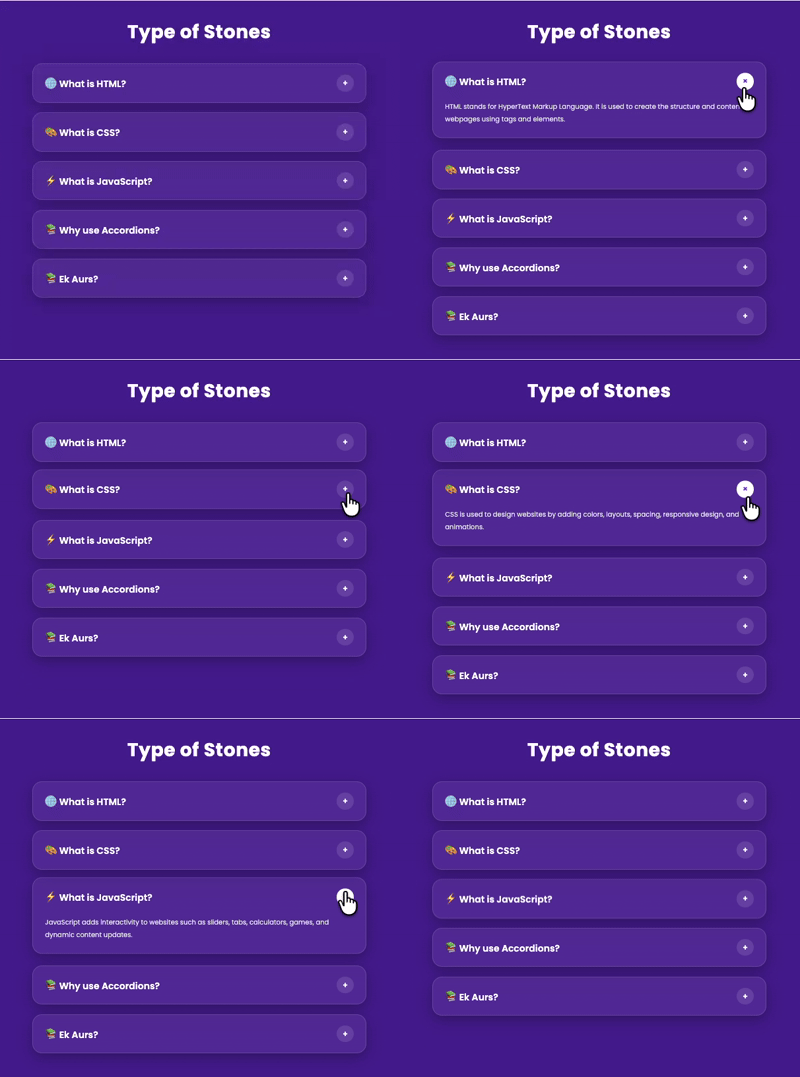
Modern Glass Accordion

Glassmorphism accordion with editable headings and expandable panels.

How it works

From browse to published in three steps

Pick a block

Accordions, match-the-columns, branching role-play, 360° hotspots. Preview every block in full before you commit.

Customize in the browser

Edit content, swap colours to match your brand, set behaviour. Form fields only — the code updates itself underneath.

Paste into Rise

Copy the snippet, add an Embed block in Rise, paste. It renders inside the lesson and scales on mobile.

Features that make every block yours

Create blocks with AI, customize them in your browser, or ask our team to build one for you.

Create with AI

Tell the AI what interaction you need, for example “a drag-and-drop sorting activity for safety procedures”. You get a working block you can preview, adjust, and download. You can also use AI to rewrite or translate the content of any block.

  • Describe your block in plain language
  • Preview the result live before you download
  • Rewrite or translate any block with AI
AI actions
Generate, Rewrite, Localize
Minutes
From idea to a working block
HTML + ZIP
Download formats

Customize Your Code Block

Every block opens in a browser editor. Change what you need, watch the preview update live, then take the embed code or source files.

  • Edit text, questions, and labels with form fields
  • Match your brand colors, with no CSS needed
  • Set scoring, timing, and behavior in a click
1 snippet
Paste into Rise to publish
Live
Preview updates as you type
Mobile-ready
Blocks scale to any screen

Request a Custom Block

Tell us what to build. If it’s useful to other teams, we add it to the library, and paid-plan members get it first. Need a block built just for you? Ask about a custom build.

  • Describe your idea in a short form
  • Our team handles the build
  • Popular requests join the library
For teams
Asked for the pronunciation drill
In build
Compliance checklist, coming soon
Shipped
Sortable data table, last month

Built for the people who build courses

Instructional designers
In-house L&D teams
Freelancers and agencies
Developers

Add your first interactive block in the next 10 minutes.

Start with the free blocks. No card, no install, nothing to maintain.

Why use these blocks?

Everything you need to add real interactivity

Save hours

Skip building from scratch and start from a tested block.

No coding

Change content, colors, and behavior through form fields.

Preview first

See exactly how a block works before you commit.

Truly yours

Match your brand, or build something new with AI.

Nothing to host

We host the block and give you an embed link.

Works on every device

Responsive, keyboard navigable, with visible focus states.

Frequently asked questions

Quick answers to common questions, all in one place

Sign In →
No. Every block is configured through form fields in the customizer. The only technical step is pasting one snippet into a Rise Embed block.
We host the built block and give you an embed URL. You can also download the source on paid plans and host it yourself if your organisation requires it.
Yes. Blocks are responsive and keyboard navigable, with ARIA roles and visible focus states. Each block page lists its accessibility notes.
Blocks you have already embedded keep rendering. You lose access to the customizer, new blocks and updates until you resubscribe.
Yes on Pro AI, which includes a commercial / client-work license. Pro covers courses you publish under your own name or employer.
Paid plans can download HTML and ZIP source for self-hosting. Free blocks are available as hosted embeds after you create an account.